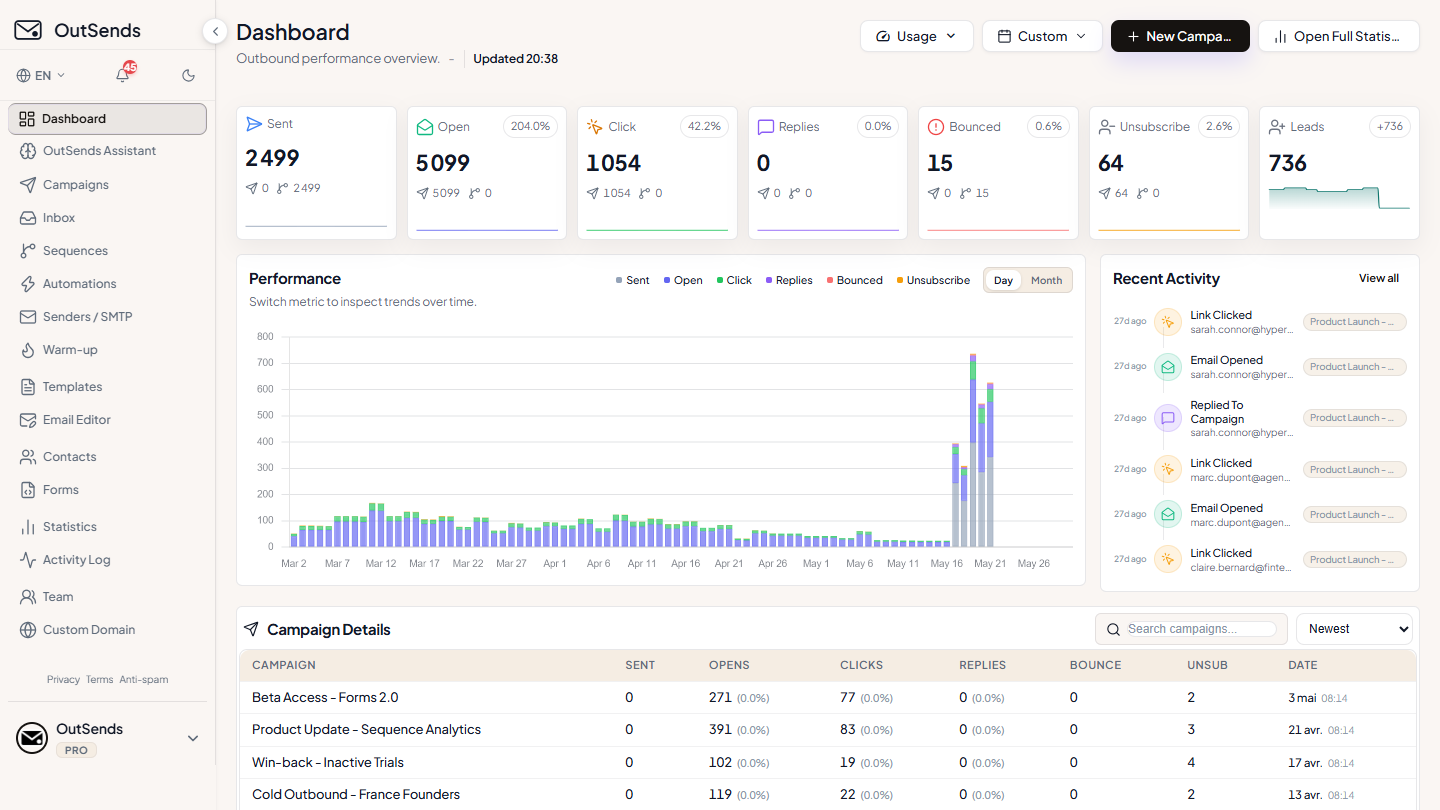
Send from your Gmail & SMTP 14-day free trial on monthly plans 2 months free on annual plans
app.outsends.com
Live App
SEND WITH YOUR INFRASTRUCTURE
Gmail
Custom SMTP
Postmark
API providers
Why OutSends ?
Everything you need to scale your cold email.
Compare OutSends with leading cold email platforms.
Feature
OutSends Pro
Other platforms
Monthly price
$49/mo
$94/mo
Emails / month
100,000
90,000
Contacts
50,000
30,000
Warm-up
10 senders
Included
Sender rotation
Unlimited campaigns & sequences
Built for people who send real outreach.
Whether you’re a founder, agency, freelancer, or sales team, OutSends gives you one clean place to manage contacts, send campaigns, follow up, and track results.
01 · FOUNDERS & FREELANCERS
Start outreach without the heavy sales stack.
Create contacts, launch a campaign, and keep follow-ups organized from one simple workspace.
Launch campaigns in minutes with Gmail
Zero bloated CRM overhead
Transparent, affordable pricing
02 · AGENCIES
Manage client campaigns from one place.
Keep contacts, senders, campaigns, and reporting easier to manage across client work.
Multiple sender accounts & rotation
Shared team quota and isolated lists
Exportable client-ready performance metrics
03 · SALES & GROWTH TEAMS
Run repeatable campaigns with control.
Use sender control, follow-up flows, and tracking to understand what is working.
Reply-aware sequence stopping
Contact verification before sending
Detailed open, click & reply attribution
Customer feedback
What Our Customers Say
Don't just take our word for it. Here's what one of our happy customers has to say about their experience.
MMMartin G Mendez
I spent quite a long time looking for a good tool to manage my email campaigns, and I’m really happy I found Outsend. It’s easy to use and does exactly what I need.
But what I appreciate the most is their support team. They are always helpful, patient, and willing to go the extra mile to help. Honestly, it’s some of the best technical support I’ve ever experienced.
It’s not just about having a good tool; it’s also about the people behind it, and Outsend really gets that right. I’m genuinely happy with their service and would definitely recommend them.
Pendant assez longtemps, j’ai cherché un bon outil pour gérer mes campagnes d’emails, et je suis vraiment heureux d’avoir trouvé Outsend. C’est facile à utiliser et ça fait exactement ce dont j’ai besoin.
Mais ce que j’apprécie le plus, c’est leur équipe support. Ils sont toujours serviables, patients, et prêts à se donner à fond pour aider. Honnêtement, c’est l’un des meilleurs supports techniques que j’ai connus.
Ce n’est pas juste une question d’avoir un bon outil ; c’est aussi les gens derrière, et Outsend a tout compris. Je suis vraiment satisfait de leur service et je le recommande sans hésiter.
I spent quite a long time looking for a good tool to manage my email campaigns, and I’m really happy I found Outsend. It’s easy to use and does exactly what I need.
But what I appreciate the most is their support team. They are always helpful, patient, and willing to go the extra mile to help. Honestly, it’s some of the best technical support I’ve ever experienced.
It’s not just about having a good tool; it’s also about the people behind it, and Outsend really gets that right. I’m genuinely happy with their service and would definitely recommend them.
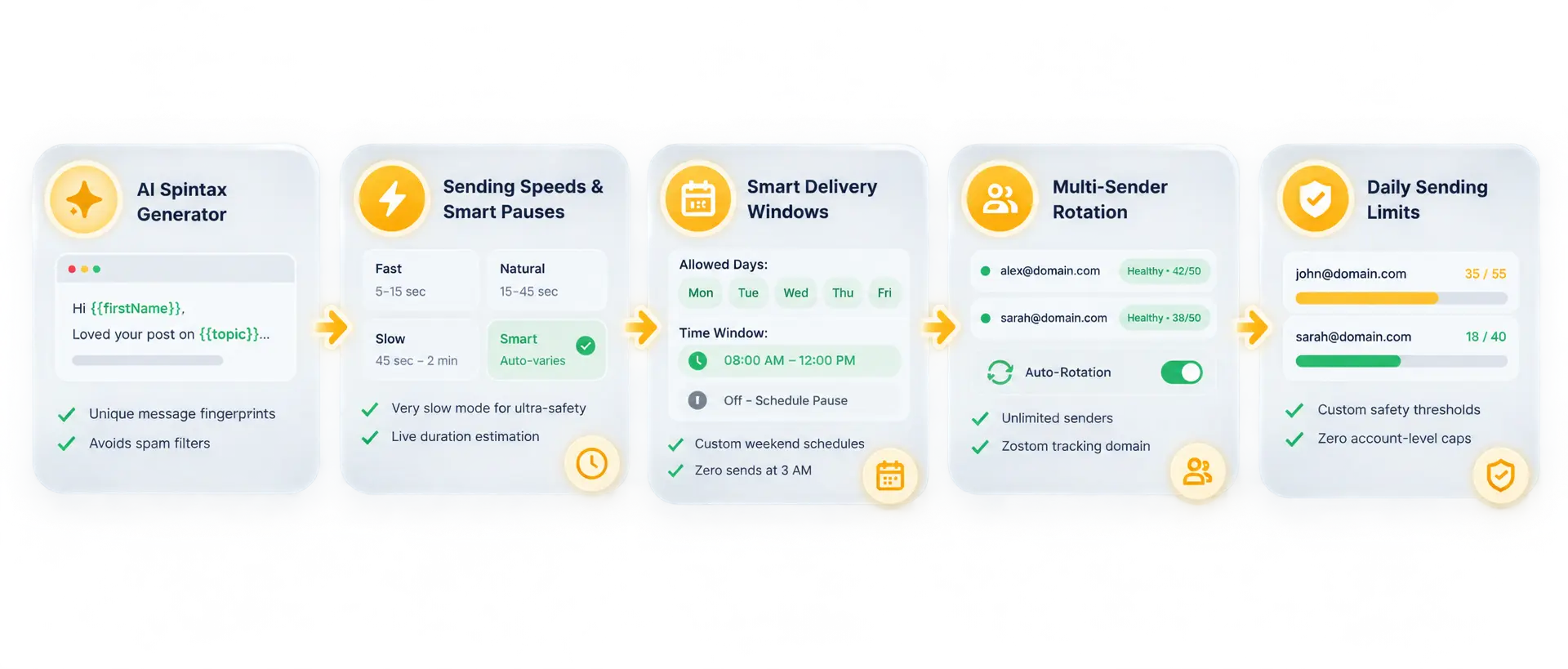
Eliminate repetitive text patterns, mechanical send bursts, and off-hour delivery. OutSends gives you complete sending control engineered for primary inbox placement.
Powerful features. Beautifully simple.
From personalized campaigns to automated follow-ups, explore how OutSends powers your outbound.
Get tailored quotas from 300K to 2M+ emails/month at a transparent rate of $1.00 per 1,000 emails, with unlimited senders, unlimited contacts, and priority dispatch queues.
300K to 2M+ emails/mo $1.00 per 1,000 emails Unlimited senders & rotation Unlimited active contacts
Yes. Every monthly plan comes with a full 14-day free trial ($0 charged today). You get unrestricted access to your plan's sending volume, automated rotation, and AI features, and can cancel anytime in 1 click before day 14.
OutSends connects securely to your Google account via official OAuth. Emails are dispatched directly through your Gmail account, ensuring optimal deliverability, thread continuity, and native reply visibility.
Yes. In addition to Gmail, OutSends supports custom SMTP and API providers including SendGrid, Mailgun, Brevo, Postmark, Resend, Amazon SES, and your own mail servers.
You can create lead capture forms or import contact lists. When new leads submit your form or are added, automations instantly enroll them into your chosen multi-step follow-up sequence.
Yes. OutSends continuously monitors replies in real time. The moment a contact replies or unsubscribes, all future automated follow-up steps for that contact stop immediately.
Yes. You can upgrade, downgrade, or cancel your subscription at any time directly from your workspace billing settings. There are no lock-in contracts.
Your next campaign starts here.
Join thousands of sales teams, founders and agencies who scale their outbound with OutSends.
.svg.webp)